The Power of Read Aloud: Why Hearing Your Writing Changes Everything


The Power of Read Aloud: Why Hearing Your Writing Changes Everything
Here’s a secret that professional editors have known for decades: reading your work aloud catches mistakes your eyes will never see. But who has time to sit in a room talking to themselves? That’s why we built Read Aloud into BlueTip’s Review Mode.
The Problem with Silent Reading
When you read silently, your brain fills in the gaps. It autocorrects typos, smooths over awkward sentences, and glosses over repetitive phrases. You wrote it, after all, your brain knows what you meant to say.
This is why:
- Writers miss obvious errors in their own work
- Sentences that feel fine look clunky when published
- Content that seemed clear confuses readers
Your eyes are liars. Your ears are honest.
How Read Aloud Works
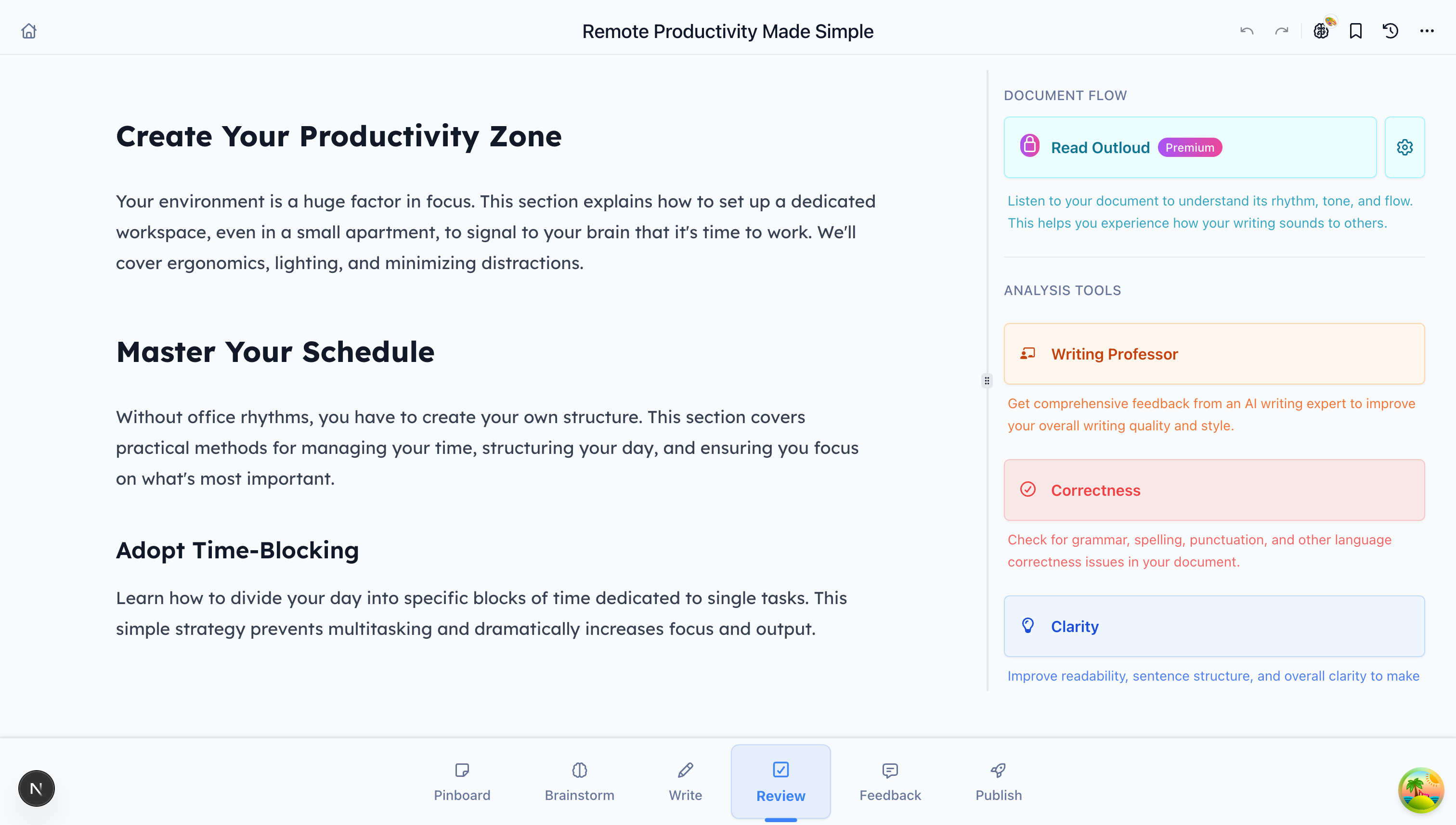
In BlueTip’s Review Mode, click the Read Aloud button. Our AI voice reads your entire document back to you with natural pacing and intonation. Here’s what you’ll notice:
1. Awkward Phrasing Jumps Out
That sentence you’ve read twenty times? When you hear it spoken, you’ll immediately notice if it doesn’t flow. Tongue twisters, run-on sentences, and jarring transitions become obvious.
2. Rhythm Problems Reveal Themselves
Good writing has rhythm. Short punchy sentences. Followed by longer, more flowing ones that give readers room to breathe. When every sentence is the same length, Read Aloud makes the monotony impossible to ignore.
3. Repetitive Words Become Obvious
Written text hides repetition. Spoken text highlights it. If you’ve used “actually” five times in three paragraphs, you’ll hear it. If every sentence starts with “The,” you’ll notice.
4. You Experience Your Content Like Your Readers
When you hear your work read aloud, you experience it the way your audience will. Does the introduction grab attention? Does the conclusion land? Is the middle section dragging? Your ears will tell you.
Choosing the Right Voice
BlueTip offers 10+ natural-sounding voices. This isn’t about preference, different voices can highlight different aspects of your writing:
- Slower voices help you catch grammatical issues
- Faster voices reveal pacing and flow problems
- Different tones show you how your content might be perceived
We recommend trying a few voices until you find one that helps you edit most effectively.
When to Use Read Aloud
Before You Publish
Always. Seriously, always run Read Aloud before you hit publish. That five-minute investment catches embarrassing mistakes that would take weeks to live down.
When You’re Stuck Editing
If you’ve been staring at the same paragraph for an hour, stop reading it. Listen to it instead. Fresh perspective, same document.
For Important Content
Client proposals, keynote scripts, important emails; anything where the stakes are high deserves a Read Aloud pass. Your reputation is worth five minutes.
When Writing for Spoken Delivery
If your content will be read aloud (podcasts, videos, presentations), then editing by ear isn’t optional. It’s essential.
Tips for Effective Read Aloud Editing
-
Listen actively - Don’t multitask. Focus on the audio and note problems as you hear them.
-
Take breaks - Listen to sections, not the entire document at once. Your ears get tired too.
-
Trust your gut - If something sounds wrong, it probably is. Don’t talk yourself out of edits.
-
Read the original - After editing, listen again. Make sure your changes improved the flow.
The Science Behind It
Research supports what editors have known intuitively:
- Dual processing - When you read and listen simultaneously, you engage different parts of your brain, increasing error detection
- Pacing awareness - Spoken text forces you to experience content at reader speed, not skimming speed
- Distance effect - Hearing your words in another voice creates psychological distance, making you a more objective editor
Try It Now
If you haven’t used Read Aloud yet, open your latest document in BlueTip and give it a try. Pick a voice, hit play, and really listen.
We’re confident you’ll catch something you missed. And that something might be the difference between good content and great content.
Read Aloud is available in Review Mode on all BlueTip plans. Start writing for free.