Mastering Brainstorm Mode: Never Run Out of Ideas Again


Mastering Brainstorm Mode: Never Run Out of Ideas Again
Writer’s block isn’t really about having no ideas. It’s about having too many half-formed thoughts and no way to organize them. BlueTip’s Brainstorm Mode fixes that.
What is Brainstorm Mode?
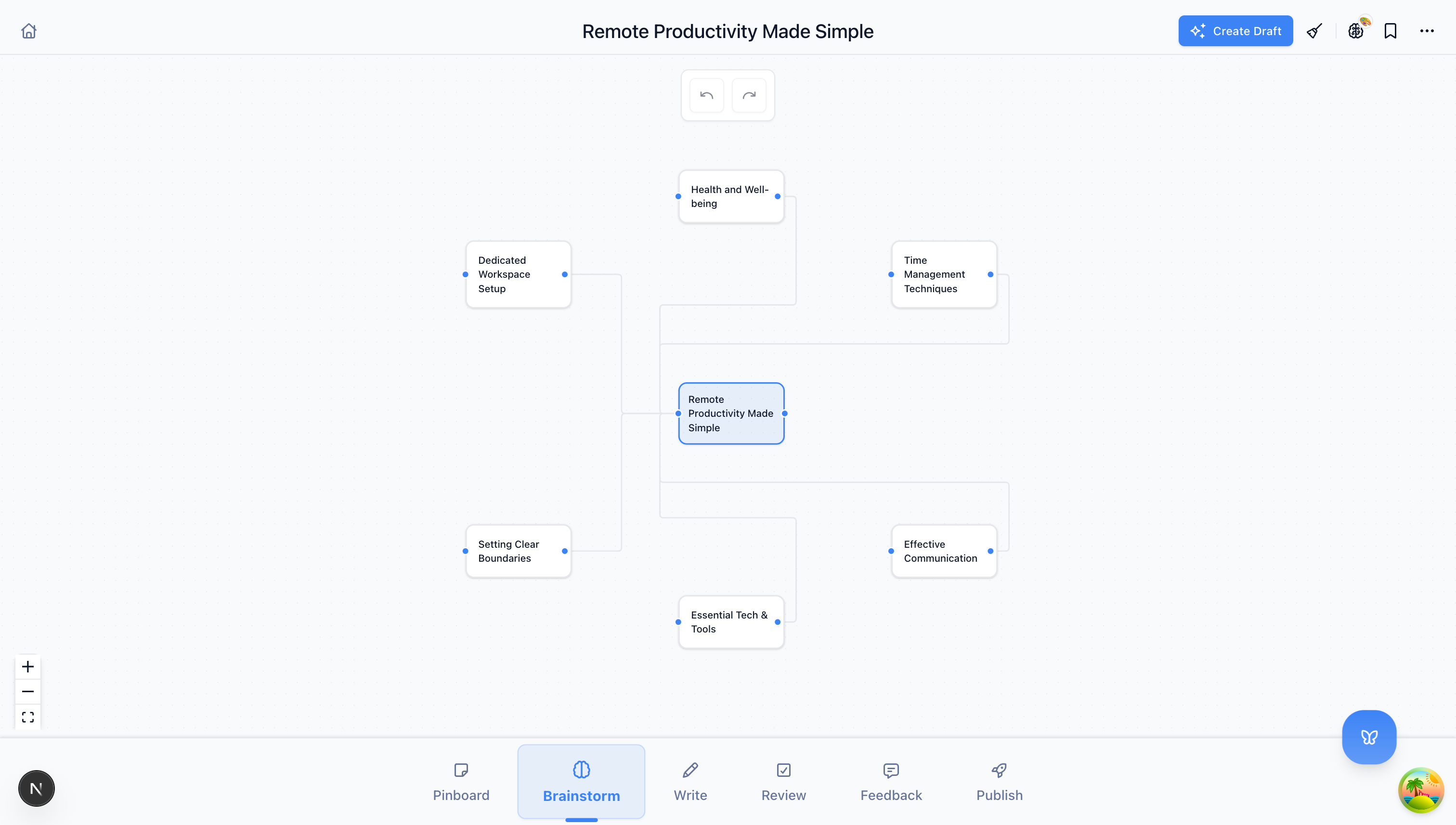
Brainstorm Mode is where every document begins, or should. Instead of staring at a blank page, you start with a topic or rough idea, and BlueTip generates multiple angles, hooks, and directions you could take.
Think of it as having a creative partner who never runs out of suggestions.
How to Use Brainstorm Mode Effectively
Start with What You Know
You don’t need a fully-formed idea. Start with:
- A topic: “productivity tips for remote workers”
- A question: “why do startups fail?”
- A goal: “convince readers to try meal prepping”
- A keyword: “sustainable fashion”
The vaguer your input, the broader the suggestions. The more specific, the more targeted the ideas.
Explore Multiple Angles
When you enter your topic, BlueTip generates several different angles. For “productivity tips for remote workers,” you might see:
- The Contrarian Take: “Why most productivity advice fails for remote workers”
- The List Format: “7 habits of highly productive remote workers”
- The Personal Story: “How I doubled my output working from home”
- The Research Angle: “What science says about remote work productivity”
- The Problem-Solution: “The hidden productivity killer in your home office”
Each angle appeals to different readers and serves different purposes. A contrarian take might go viral on social media. A research piece might rank well in search.
Use the Thumbs Up/Down System
As you review suggestions, use the thumbs up and thumbs down buttons. This does two things:
- Filters your current session - Good ideas rise to the top
- Trains the AI - BlueTip learns what resonates with you over time
Don’t overthink it. Quick gut reactions work best.
Combine and Remix
The best ideas often come from combining suggestions. Maybe you like the contrarian angle but want a list format:
“7 Productivity Tips That Actually Work for Remote Workers (Ignore the Rest)”
BlueTip can help you merge concepts once you’ve identified your favorites.
When to Use Brainstorm Mode
Before Starting Any New Content
Even if you think you know what to write, spend 2 minutes in Brainstorm Mode. You might discover a better angle you hadn’t considered.
When You’re Stuck
If you’ve been staring at a half-written document, go back to Brainstorm Mode. Enter your current topic and see if a fresh angle unlocks your momentum.
For Content Planning
Need to plan a month of blog posts? Use Brainstorm Mode to generate ideas around your core themes. You’ll have more ideas than you can use.
For Headline Testing
Enter your topic multiple times with slight variations. Compare the headlines and hooks BlueTip generates. The best ones often surprise you.
Advanced Brainstorm Techniques
The Narrow-Broad Technique
Start narrow, then go broad:
- Enter a specific topic: “how to use keyboard shortcuts in VS Code”
- Review suggestions
- Enter a broader topic: “developer productivity tools”
- Compare the different directions
This often reveals connections you wouldn’t have made otherwise.
The Audience Flip
Try the same topic for different audiences:
- “Email marketing” → for small business owners
- “Email marketing” → for marketing directors
- “Email marketing” → for solopreneurs
Different audiences need different angles, examples, and depth.
The Format Experiment
Specify different content formats in your input:
- “podcast episode about…”
- “Twitter thread on…”
- “long-form guide to…”
- “quick tips for…”
BlueTip adjusts its suggestions based on the format you’re targeting.
From Brainstorm to Outline
Once you’ve found your angle, don’t jump straight to writing. Move to Outline Mode next:
- Select your favorite brainstorm idea
- Click “Create Outline”
- BlueTip generates a structured outline based on your chosen direction
This keeps the momentum going while adding the structure you need.
Common Mistakes to Avoid
Being Too Attached to Your First Idea
The first idea isn’t always the best. Generate at least 5-10 angles before committing. The winner is often idea #7.
Skipping Brainstorm Mode Entirely
“I already know what I want to write” is the most common excuse for writer’s block. Brainstorm Mode often reveals the better version of what you had in mind.
Not Training the AI
If you never use thumbs up/down, BlueTip can’t learn your preferences. Take 30 seconds to rate ideas. Future sessions will be more targeted.
Try It Now
Open BlueTip, create a new document, and enter a topic you’ve been meaning to write about. Set a timer for 5 minutes and explore the suggestions.
You’ll walk away with:
- Multiple angle options
- A clear direction forward
- No more blank-page paralysis
That’s the power of Brainstorm Mode.
Brainstorm Mode is available on all BlueTip plans. Start brainstorming for free.